[!NOTE]
由 Bytebase 提供,开源数据库 DevSecOps 平台。



DBHub 是一个通用数据库网关,实现了模型上下文协议(MCP)服务器接口。该网关允许兼容 MCP 的客户端连接并探索不同的数据库。
 +------------------+    +--------------+    +------------------+
 |                  |    |              |    |                  |
 |                  |    |              |    |                  |
 |  Claude Desktop  +--->+              +--->+    PostgreSQL    |
 |                  |    |              |    |                  |
 |  Claude Code     +--->+              +--->+    SQL Server    |
 |                  |    |              |    |                  |
 |  Cursor          +--->+    DBHub     +--->+    SQLite        |
 |                  |    |              |    |                  |
 |  其他客户端      +--->+              +--->+    MySQL         |
 |                  |    |              |    |                  |
 |                  |    |              +--->+    MariaDB       |
 |                  |    |              |    |                  |
 |                  |    |              |    |                  |
 +------------------+    +--------------+    +------------------+
      MCP 客户端           MCP 服务器             数据库
Demo HTTP Endpoint
https://demo.dbhub.ai/message 连接到 示例员工数据库。您可以将 Cursor 或 MCP Inspector 指向它以查看其运行效果。
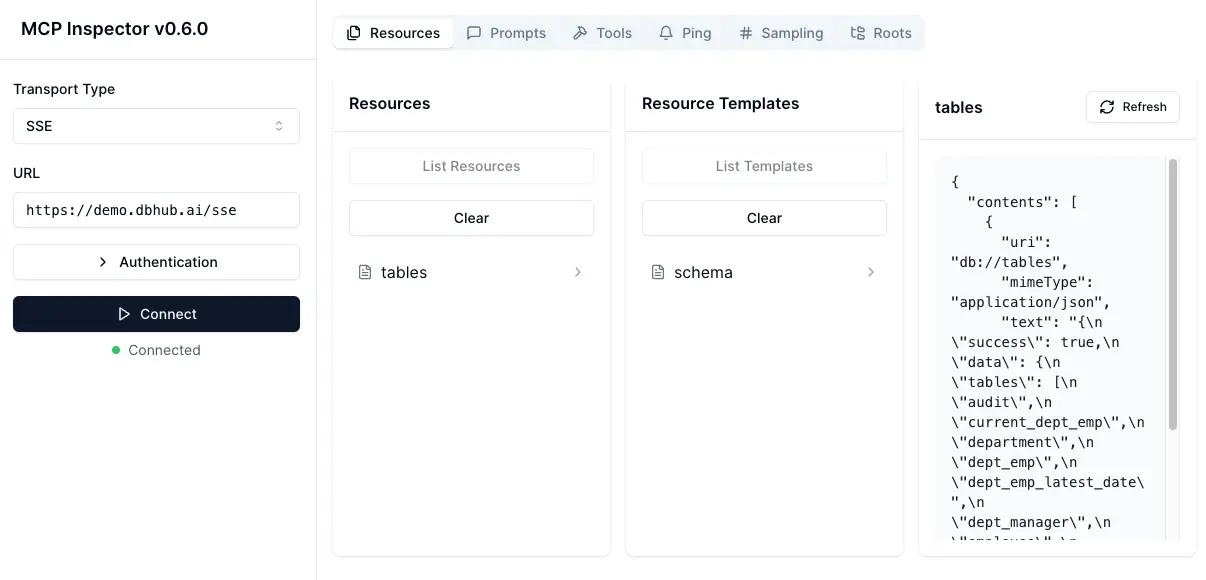
支持矩阵
数据库资源
| 资源名称 | URI 格式 | PostgreSQL | MySQL | MariaDB | SQL Server | SQLite |
|---|---|---|---|---|---|---|
| schemas | db://schemas | ✅ | ✅ | ✅ | ✅ | ✅ |
| tables_in_schema | db://schemas/{schemaName}/tables | ✅ | ✅ | ✅ | ✅ | ✅ |
| table_structure_in_schema | db://schemas/{schemaName}/tables/{tableName} | ✅ | ✅ | ✅ | ✅ | ✅ |
| indexes_in_table | db://schemas/{schemaName}/tables/{tableName}/indexes | ✅ | ✅ | ✅ | ✅ | ✅ |
| procedures_in_schema | db://schemas/{schemaName}/procedures | ✅ | ✅ | ✅ | ✅ | ❌ |
| procedure_details_in_schema | db://schemas/{schemaName}/procedures/{procedureName} | ✅ | ✅ | ✅ | ✅ | ❌ |
数据库工具
| 工具 | 命令名称 | 描述 | PostgreSQL | MySQL | MariaDB | SQL Server | SQLite |
|---|---|---|---|---|---|---|---|
| Execute SQL | execute_sql | 执行单个或多个 SQL 语句(以分号分隔) | ✅ | ✅ | ✅ | ✅ | ✅ |
提示功能
| 提示 | 命令名称 | PostgreSQL | MySQL | MariaDB | SQL Server | SQLite |
|---|---|---|---|---|---|---|
| Generate SQL | generate_sql | ✅ | ✅ | ✅ | ✅ | ✅ |
| Explain DB Elements | explain_db | ✅ | ✅ | ✅ | ✅ | ✅ |
安装
Docker
# PostgreSQL 示例
docker run --rm --init \
   --name dbhub \
   --publish 8080:8080 \
   bytebase/dbhub \
   --transport http \
   --port 8080 \
   --dsn "postgres://user:password@localhost:5432/dbname?sslmode=disable"
# 带有 SQLite 示例员工数据库的演示模式
docker run --rm --init \
   --name dbhub \
   --publish 8080:8080 \
   bytebase/dbhub \
   --transport http \
   --port 8080 \
   --demo
NPM
# PostgreSQL 示例
npx @bytebase/dbhub --transport http --port 8080 --dsn "postgres://user:password@localhost:5432/dbname?sslmode=disable"

# 带有 SQLite 示例员工数据库的演示模式
npx @bytebase/dbhub --transport http --port 8080 --demo
# 带有示例员工数据库的演示模式
npx @bytebase/dbhub --transport http --port 8080 --demo
注意:演示模式包含一个捆绑的 SQLite 示例 "employee" 数据库,其中包含员工、部门、薪资等表。
Claude Desktop
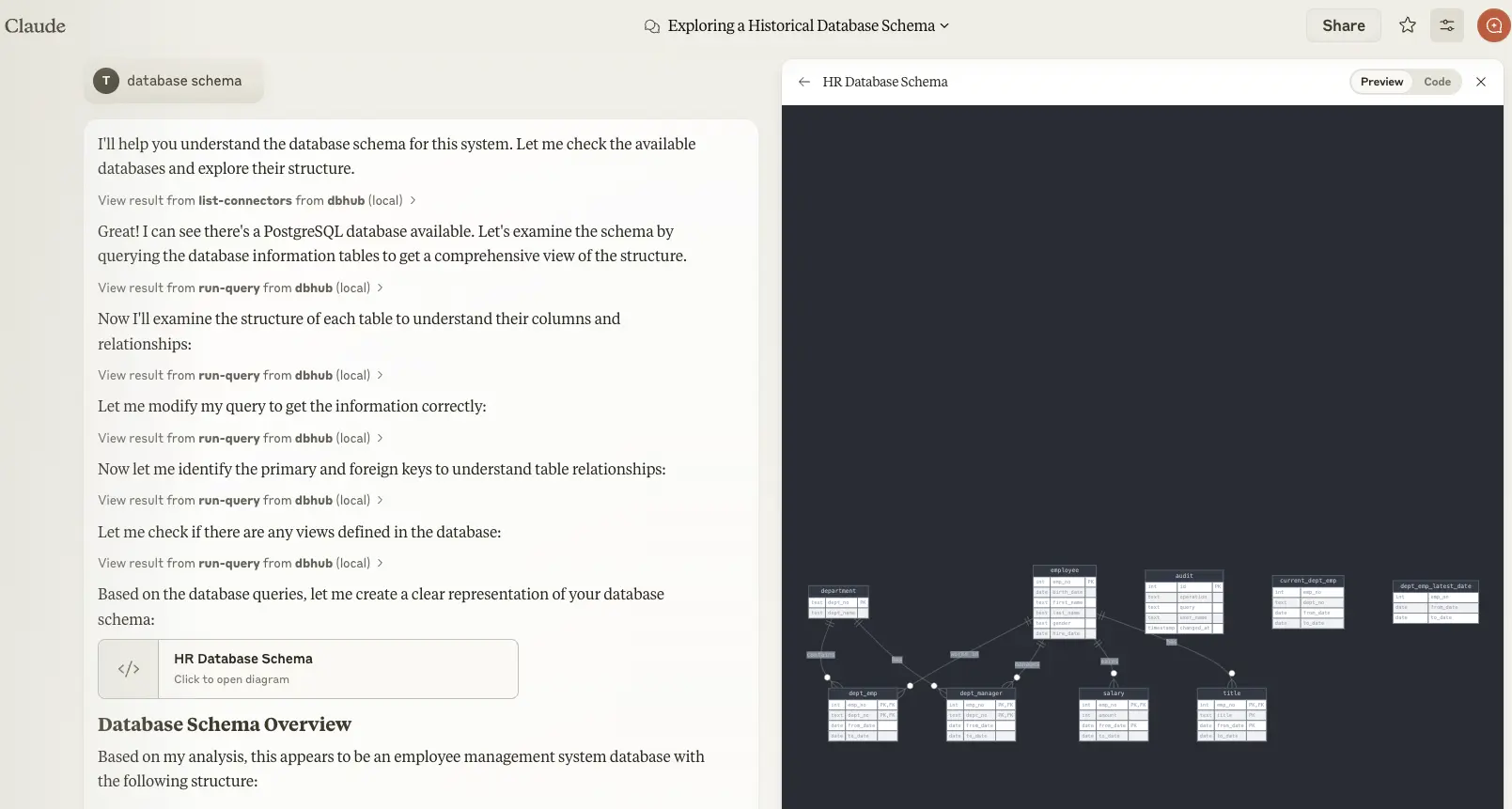
- Claude Desktop 仅支持
stdio传输 https://github.com/orgs/modelcontextprotocol/discussions/16
// claude_desktop_config.json
{
  "mcpServers": {
    "dbhub-postgres-docker": {
      "command": "docker",
      "args": [
        "run",
        "-i",
        "--rm",
        "bytebase/dbhub",
        "--transport",
        "stdio",
        "--dsn",
        // 如果连接到本地数据库,请使用 host.docker.internal 作为主机
        "postgres://user:password@host.docker.internal:5432/dbname?sslmode=disable"
      ]
    },
    "dbhub-postgres-npx": {
      "command": "npx",
      "args": [
        "-y",
        "@bytebase/dbhub",
        "--transport",
        "stdio",
        "--dsn",
        "postgres://user:password@localhost:5432/dbname?sslmode=disable"
      ]
    },
    "dbhub-demo": {
      "command": "npx",
      "args": ["-y", "@bytebase/dbhub", "--transport", "stdio", "--demo"]
    }
  }
}
Claude Code
查看 https://docs.anthropic.com/en/docs/claude-code/mcp
Cursor
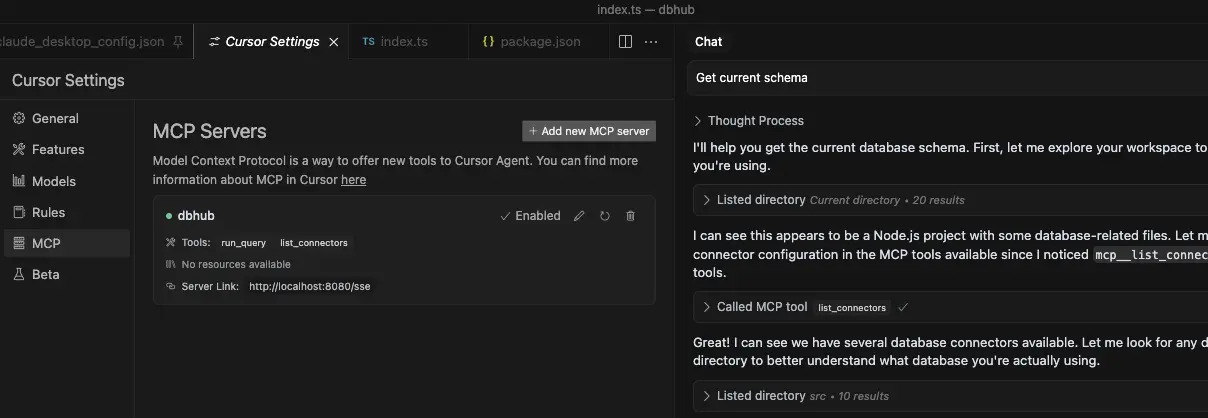
- Cursor 支持
stdio和http。 - 按照 Cursor MCP 指南 操作,并确保使用 Agent 模式。
使用
SSL 连接
您可以使用 DSN 字符串中的 sslmode 参数指定 SSL 模式:
| 数据库 | sslmode=disable | sslmode=require | 默认 SSL 行为 |
|---|---|---|---|
| PostgreSQL | ✅ | ✅ | 证书验证 |
| MySQL | ✅ | ✅ | 证书验证 |
| MariaDB | ✅ | ✅ | 证书验证 |
| SQL Server | ✅ | ✅ | 证书验证 |
| SQLite | ❌ | ❌ | N/A (文件系统) |
SSL 模式选项:
sslmode=disable:关闭所有 SSL/TLS 加密。数据以明文传输。sslmode=require:连接加密,但不验证服务器证书。这可防止数据包嗅探,但不能防止中间人攻击。您可以使用此模式连接到受信任的自签名 CA。
未指定 sslmode 时,大多数数据库默认进行证书验证,这提供了最高级别的安全性。
示例用法:
# 禁用 SSL
postgres://user:password@localhost:5432/dbname?sslmode=disable

# 要求 SSL 但不进行证书验证
postgres://user:password@localhost:5432/dbname?sslmode=require

# 标准 SSL 并进行证书验证(默认)
postgres://user:password@localhost:5432/dbname
只读模式
您可以将 DBHub 运行在只读模式下,该模式将限制 SQL 查询执行为只读操作:
# 启用只读模式
npx @bytebase/dbhub --readonly --dsn "postgres://user:password@localhost:5432/dbname"
在只读模式下,仅允许 只读 SQL 操作。
这提供了额外的安全层,当连接到生产数据库时。
配置您的数据库连接
您可以使用带有示例员工数据库的 DBHub 进行测试:
npx @bytebase/dbhub --demo
[!WARNING] 如果您的用户名/密码包含特殊字符,您需要先进行转义。例如
pass#word应该转义为pass%23word
对于真实数据库,需要数据库源名称(DSN)。您可以通过以下几种方式提供:
-
命令行参数(最高优先级):
npx @bytebase/dbhub --dsn "postgres://user:password@localhost:5432/dbname?sslmode=disable" -
环境变量(第二优先级):
export DSN="postgres://user:password@localhost:5432/dbname?sslmode=disable" npx @bytebase/dbhub -
环境文件(第三优先级):
- 开发环境:创建
.env.local并包含您的 DSN - 生产环境:创建
.env并包含您的 DSN
DSN=postgres://user:password@localhost:5432/dbname?sslmode=disable - 开发环境:创建
[!WARNING] 在 Docker 中运行时,使用
host.docker.internal而不是localhost来连接主机上的数据库。例如:mysql://user:password@host.docker.internal:3306/dbname
DBHub 支持以下数据库连接字符串格式:
| 数据库 | DSN 格式 | 示例 |
|---|---|---|
| MySQL | mysql://[user]:[password]@[host]:[port]/[database] | mysql://user:password@localhost:3306/dbname?sslmode=disable |
| MariaDB | mariadb://[user]:[password]@[host]:[port]/[database] | mariadb://user:password@localhost:3306/dbname?sslmode=disable |
| PostgreSQL | postgres://[user]:[password]@[host]:[port]/[database] | postgres://user:password@localhost:5432/dbname?sslmode=disable |
| SQL Server | sqlserver://[user]:[password]@[host]:[port]/[database] | sqlserver://user:password@localhost:1433/dbname?sslmode=disable |
| SQLite | sqlite:///[path/to/file] 或 sqlite:///:memory: | sqlite:///path/to/database.db, sqlite:C:/Users/YourName/data/database.db (windows) 或 sqlite:///:memory: |
SQL Server
额外查询参数:
authentication
authentication=azure-active-directory-access-token. 仅在从 Azure 运行时适用。参见 DefaultAzureCredential.
传输
-
stdio(默认)- 用于与 Claude Desktop 等工具直接集成:
npx @bytebase/dbhub --transport stdio --dsn "postgres://user:password@localhost:5432/dbname?sslmode=disable" -
http - 用于浏览器和网络客户端:
npx @bytebase/dbhub --transport http --port 5678 --dsn "postgres://user:password@localhost:5432/dbname?sslmode=disable"
命令行选项
| 选项 | 环境变量 | 描述 | 默认值 |
|---|---|---|---|
| dsn | DSN | 数据库连接字符串 | 如果不在演示模式下则必需 |
| transport | TRANSPORT | 传输模式:stdio 或 http | stdio |
| port | PORT | HTTP 服务器端口(仅在使用 --transport=http 时适用) | 8080 |
| readonly | READONLY | 限制 SQL 执行为只读操作 | false |
| demo | N/A | 运行带有示例员工数据库的演示模式 | false |
演示模式使用一个内存中的 SQLite 数据库,其中加载了 示例员工数据库,该数据库包含员工、部门、职位、薪资、部门员工和部门经理等表。示例数据库包含用于表创建、数据加载和测试的 SQL 脚本。
开发
-
安装依赖项:
pnpm install -
以开发模式运行:
pnpm dev -
构建生产版本:
pnpm build
pnpm start --transport stdio --dsn "postgres://user:password@localhost:5432/dbname?sslmode=disable"
测试
该项目使用 Vitest 进行全面的单元和集成测试:
- 运行所有测试:
pnpm test - 以监视模式运行测试:
pnpm test:watch - 运行集成测试:
pnpm test:integration
集成测试
DBHub 包括针对所有支持数据库连接器的全面集成测试,使用 Testcontainers。这些测试在 Docker 容器中的真实数据库实例上运行,确保完全兼容性和功能覆盖。
前置条件
- Docker:确保您的机器上安装并运行了 Docker
- Docker 资源:为多个数据库容器分配足够的内存(推荐:4GB+)
- 网络访问:能够从镜像仓库拉取 Docker 镜像
运行集成测试
注意:此命令并行运行所有数据库集成测试,这可能需要 5-15 分钟,具体取决于您的系统资源和网络速度。
# 运行所有数据库集成测试
pnpm test:integration
# 仅运行 PostgreSQL 集成测试
pnpm test src/connectors/__tests__/postgres.integration.test.ts
# 仅运行 MySQL 集成测试
pnpm test src/connectors/__tests__/mysql.integration.test.ts
# 仅运行 MariaDB 集成测试
pnpm test src/connectors/__tests__/mariadb.integration.test.ts
# 仅运行 SQL Server 集成测试
pnpm test src/connectors/__tests__/sqlserver.integration.test.ts
# 仅运行 SQLite 集成测试
pnpm test src/connectors/__tests__/sqlite.integration.test.ts
# 运行 JSON RPC 集成测试
pnpm test src/__tests__/json-rpc-integration.test.ts
所有集成测试遵循以下模式:
- 容器生命周期:启动数据库容器 → 连接 → 设置测试数据 → 运行测试 → 清理
- 共享测试工具:在
IntegrationTestBase类中实现的常见测试模式 - 数据库特定功能:每个数据库包括针对独特功能和能力的测试
- 错误处理:对连接错误、无效 SQL 和边缘情况的全面测试
集成测试故障排除
容器启动问题:
# 检查 Docker 是否运行
docker ps

# 检查可用内存
docker system df

# 如有必要手动拉取镜像
docker pull postgres:15-alpine
docker pull mysql:8.0
docker pull mariadb:10.11
docker pull mcr.microsoft.com/mssql/server:2019-latest
SQL Server 超时问题:
- SQL Server 容器需要较长的启动时间(3-5 分钟)
- 确保 Docker 分配了足够的内存(推荐:4GB+)
- 如果遇到超时,请考虑单独运行 SQL Server 测试
网络/资源问题:
# 以详细输出运行测试
pnpm test:integration --reporter=verbose

# 运行单个数据库测试以隔离问题
pnpm test:integration -- --testNamePattern="PostgreSQL"

# 如果测试失败,检查 Docker 容器日志
docker logs <container_id>
提交钩子(开发人员)
该项目包括提交钩子,在每次提交前自动运行测试:
-
克隆存储库后,设置提交钩子:
./scripts/setup-husky.sh -
这将确保每次提交时自动运行测试套件,防止提交会破坏测试。
使用 MCP Inspector 调试
stdio
# PostgreSQL 示例
TRANSPORT=stdio DSN="postgres://user:password@localhost:5432/dbname?sslmode=disable" npx @modelcontextprotocol/inspector node /path/to/dbhub/dist/index.js
HTTP
# 以 HTTP 传输启动 DBHub
pnpm dev --transport=http --port=8080

# 在另一个终端启动 MCP Inspector
npx @modelcontextprotocol/inspector
连接到 DBHub 服务器 /message 端点
贡献者

Star 历史
